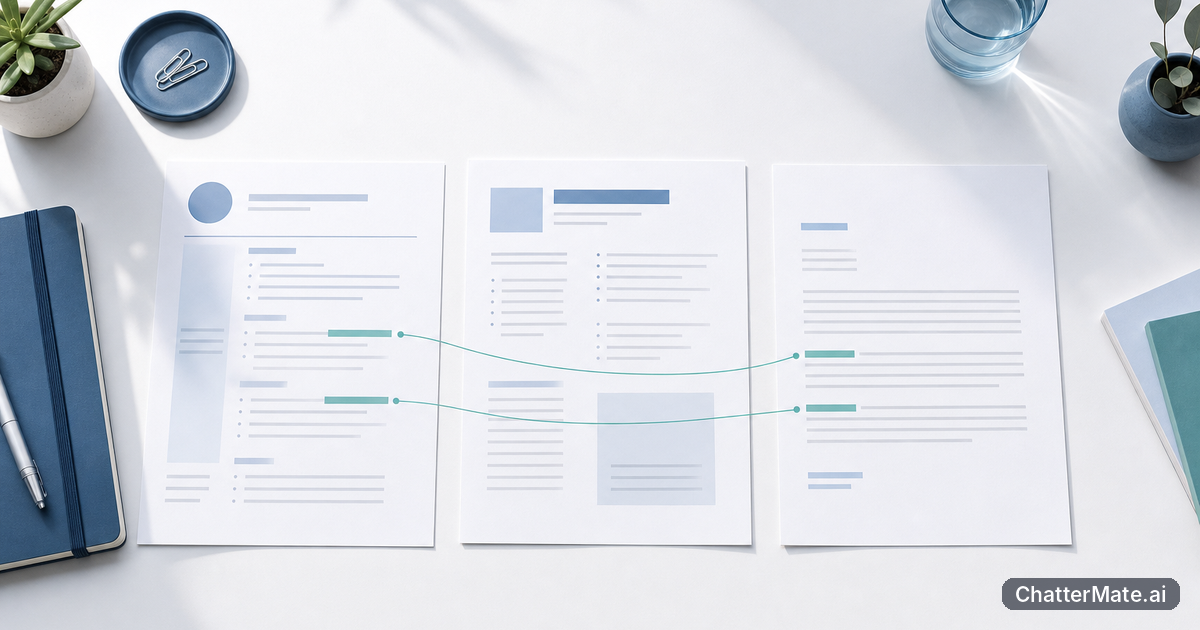
If receipts live in one tool, ledger entries in another, and reports somewhere else, routine bookkeeping comes with extra handling: switching screens, matching details, and checking which version is current. ChatterMate TaxDrop brings document intake and categorization, ledger review and reconciliation, reports, and a grounded assistant for finance questions into one accounting workspace. You can keep your existing AI subscriptions; this workflow is about connecting finance tasks, not replacing them.
Why split document, ledger, and reporting tools slow down taxdrop accounting
When finance work is split across separate tools, the cost is often less about any single task than the repeated handoffs around it. You download an invoice, move or re-enter its details, switch to the ledger to find a matching entry, then open a reporting tool to check the effect. If a vendor name is inconsistent or a date needs checking, that means another round of searching. Those small interruptions add friction to work you already know how to do.
A connected workflow gives you a more direct path from source document to reviewed ledger activity and reporting. In the TaxDrop accounting workspace, you can bring documents in, categorize them, review and reconcile ledger entries, and then work with reports in the same accounting context. For example, while checking a month’s expenses, you can move from an invoice you have ingested to its related ledger entry and the report you need to review, rather than rebuilding the trail across different systems.
This does not mean every finance question has an automatic answer or that you should discard tools you rely on. It means fewer workflow breaks for core accounting tasks. If you are considering where to reduce avoidable handoffs, this idea of making a process more connected also appears in practical ways to save time with automation.
Bring in receipts and invoices, then categorize them for review
Start with the documents that support the finance work you are about to do. Bring receipts and invoices into the workspace, then organize them using the available categorization. A useful first pass is to group items by the context you will need when checking the books: for example, a supplier invoice for office equipment, a receipt for a client meeting, or a recurring software bill. Keep the source document connected to the task you plan to review rather than treating intake as a separate filing exercise.
As you categorize, use the details on the document to make a deliberate choice. Check the supplier, date, amount, and business purpose, and distinguish a one-off purchase from a recurring charge where that matters to your review. If a receipt is unclear, leave it for follow-up instead of assigning a category based on a guess. That small pause can prevent a shaky assumption from carrying into ledger review.
For a concrete example, imagine processing a batch that includes a fuel receipt and an internet service invoice. Bring both in, categorize them according to the information available, and note any missing context you need to confirm. You can then use those organized records as the starting point for reviewing the associated ledger activity. The benefit is a more traceable handoff from document to bookkeeping check, not a promise that ingestion removes your judgment.
Tip: Categorize for the review you need to perform. A clear supplier, date, and purpose make a document easier to match and investigate later.
Review ledger entries and reconcile mismatches in one workflow
After document intake, move to ledger review with the source records in mind. Work through the entries you need to check and compare their key details with the receipts or invoices you brought in: amount, date, supplier, and the context for the transaction. The goal is to establish whether the ledger entry agrees with the supporting document, not simply to clear a queue quickly. When the details match, you have a more confident basis for completing your review.
If something does not line up, treat the mismatch as a question to resolve. A payment may appear in a different period than the invoice date, a vendor name may be abbreviated, or the ledger amount may differ from the document total. Check the source record and the entry before deciding what needs attention. Keep unresolved items distinct from confirmed matches, so you do not turn an assumption into a completed reconciliation.
For example, if an invoice shows a service charge of one amount but the ledger entry is higher, inspect the document details and compare them with the entry. The difference could have an explanation, or it could require follow-up; the record alone should guide the next step. TaxDrop brings ledger review and reconciliation into the same accounting workflow as document handling, helping you work through that check without losing the source context. You remain responsible for the accounting judgment and any corrections your process requires.
Find your way around TaxDrop and export the reports you need
Think of the workspace as a practical sequence rather than a collection of unrelated screens: documents provide support, ledger review checks how activity is recorded, and reports help you inspect or share the resulting view. Begin in the area that matches your task. If you are processing a new batch, start with documents and categorization. If you are checking a period, move to ledger review and reconciliation. When you need a summary, go to reports after you have established which records and period matter.
Before exporting a report, define the question it should answer. You might need a period summary for an internal review, or a view that helps you investigate a particular expense category. Confirm the relevant period and the records you intend to include, then review the report in the workspace for unexpected gaps or figures. Export when the report is the one you need; avoid using an export as a substitute for checking the underlying records.
For instance, if you are preparing to discuss a month’s operating costs, first review the transactions and supporting documents in scope. Then open the relevant report, check that it reflects the period you are investigating, and export it for the next step in your process. Keeping those checks together makes it easier to explain where a number came from. The workflow stays focused on accounting work, while your existing tools for sharing or storing exported reports can remain part of your wider process.
Use grounded finance answers to investigate questions against your records
When a question comes up, use the grounded assistant to investigate it against the finance records available in the workspace. Ask a specific question with a clear scope: for example, “Which recorded expenses relate to the Northside Office supplier this month?” or “What could explain the difference between this invoice and its ledger entry?” A focused question gives you a more useful starting point than a broad request to summarize the business, because it names the record or discrepancy you want to examine.
Use the response as a guide to the next check, not as a replacement for review. Compare the answer with the documents, ledger entries, or reports relevant to the question. If the response does not settle the issue, narrow the question or inspect the source records yourself; if the available records do not support a conclusion, keep the matter open. The assistant is useful for investigating finance questions grounded in your records, while decisions about categorization, reconciliation, and reporting remain part of your normal controls.
This is a practical way to treat an AI assistant as a collaborator rather than an authority. Ask it to help orient you to a question, then verify the details before acting. The same principle of keeping human judgment in the loop is explored in using AI as a collaborator. In a finance workflow, that means using grounded answers to find what to inspect next, not letting a fluent response stand in for evidence.
Try one document-to-report workflow next
To get started, choose one small, clearly bounded task rather than reorganizing your whole finance process. A single month of supplier invoices is a useful test. Bring the documents into TaxDrop, categorize them using the information on each record, and review the ledger entries that relate to that batch. Reconcile the matches you can confirm, and keep exceptions visible for follow-up instead of guessing their cause.
Next, open the report that helps you inspect the same activity. Check its period and scope against the documents and ledger work you just reviewed, then export it for the purpose you had in mind. If a number or transaction raises a question, ask the grounded assistant a narrow question about the relevant records and verify its response against the supporting information. That gives you one complete route from source document to reviewed ledger activity, report, and investigation.
After trying the workflow, note where you still had to switch tools or repeat a check. That observation can help you decide which document category or reporting task to test next. You do not need to replace separate AI subscriptions or rebuild established controls to benefit from a more connected accounting workspace. Start with one batch, follow the records through, and expand only when the process fits the way your team already works.
Frequently asked questions
Explore ChatterMate
Enjoyed this read?
Like, Share or comment below.