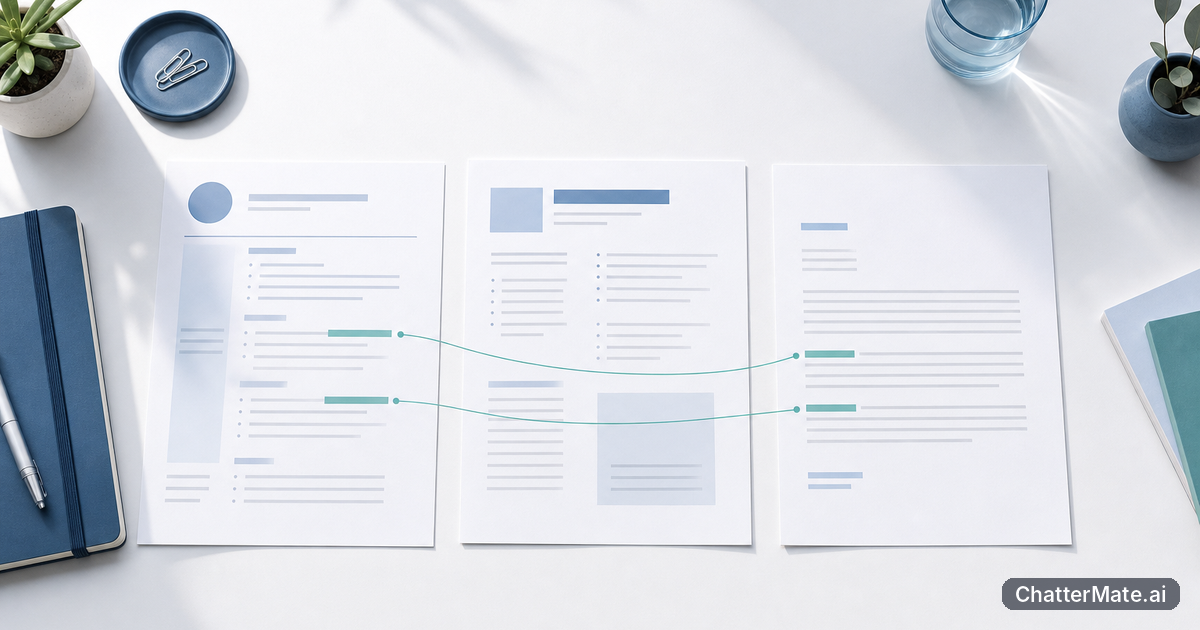
When an update packs findings, caveats, and citations into one dense block, teammates may miss the point—or skip it altogether. If your team already chats with private documents and URLs, you can make the evidence easier to scan without losing its trail. Use ChatterMate retrieval to find grounded answers, then shape them into a document people can actually use.
Why dense, source-backed updates still get overlooked by your team
A response can be accurate and still be hard to act on. Imagine someone asks what changed in the latest travel policy and receives six paragraphs that mix the new meal limit, the effective date, exceptions, and links to three documents. A teammate looking for the limit has to read everything, while someone who skims might miss the effective date. Evidence alone does not make information usable; readers also need signposts and a clear order.
Chat can make this problem worse when a response is copied directly into a team channel. A long answer may bury the decision, repeat background, or leave the source link far from the claim it supports. The fix is not to remove the evidence. Instead, separate the main takeaway from the details, group related facts, and keep citations close enough that a reader can check them quickly.
Think of the final update as a short route through the evidence: what changed, who is affected, what action is needed, and where each point came from. That simple structure helps busy teammates find the part they need while preserving enough context to verify it.
Upload and organize trustworthy docs and URLs in your RAG knowledge base
Good retrieval starts with useful inputs. In the ChatterMate Knowledge Base, upload the documents and URLs your team is allowed to use as sources. Begin with material that has a clear owner and purpose: an approved policy, a current process guide, or a maintained internal FAQ. For example, if you are answering questions about travel, include the current travel policy and its official reimbursement page rather than a saved copy from an old project folder.
Make it easy to tell related material apart. Use descriptive filenames such as “Travel policy — effective March 2025” instead of “final-v3.” Keep separate topics in distinct files where practical, and check that a URL opens to the intended content rather than a login error, a landing page, or a page that has since changed. If two sources disagree, do not quietly treat both as equally authoritative; identify the approved source and note the conflict for review.
Source organization is an ongoing task, not a one-time upload. When a policy is replaced, remove or clearly retire the old version so it is less likely to confuse future answers. If your team works across languages, this guide to multilingual retrieval offers a related perspective on keeping source-based answers useful.
Tip: Before uploading a document, ask: who owns it, when was it last reviewed, and is it the version teammates should rely on?
Ask questions that surface cited evidence—not vague summaries
A broad prompt invites a broad answer. Instead of asking, “Summarize travel,” name the decision you need and the source scope: “Using the current travel policy and reimbursement page, what is the meal limit for domestic trips, when does it take effect, and what exceptions are listed? Cite the source for each point.” This gives retrieval a specific task and tells the response what evidence should remain visible.
Ask for the answer in pieces that map to the source. You might request the rule, its effective date, the exception, and the relevant citation as separate bullets. If you need a comparison, ask which two policies or sections to compare. If a document does not answer a sub-question, ask the response to say that the source does not specify it rather than filling the gap with a guess.
With ChatterMate retrieval and citations, check whether the cited passages actually support each claim. A citation attached to a paragraph is not proof that every sentence in it is grounded. Open the cited source, locate the relevant wording, and distinguish what it states from what you infer. This habit is especially valuable for dates, thresholds, eligibility rules, and other details where a small mistake can change the meaning.
For more on giving an AI task a clear scope, see these practical AI briefing ideas. A focused question makes it easier to review the evidence and shape a concise answer.
Add @mention context so retrieval stays on the right sources
When a conversation already contains useful context, bring it into the question rather than making the model guess what “this” or “the latest one” means. Use @mention context to point to the relevant message or details in the conversation. For example, after a teammate shares a draft announcement about a policy change, ask: “Using the current travel policy, check the meal limit mentioned in the draft above. Is the amount correct, and what effective date should the announcement include?”
This connects the new request to the draft while keeping the source task explicit. The conversation provides the working context—the number and date to check—while the retrieved document provides the evidence. If you are asking about a specific department, region, or time period, state that too. A question like “Does this apply here?” gives little direction; “Does the domestic travel limit in this draft apply to contractors under the current policy?” tells the retrieval task what distinction matters.
Keep context relevant and limited. A long conversation may include abandoned options or outdated figures, so identify the particular message or decision that should guide the check. If the conversation conflicts with an approved source, treat the source as something to verify against, not a reason to repeat an unsupported claim. Clear context helps retrieve the right evidence, but it does not replace checking what that evidence says.
Turn a dense cited answer into clear sections, bullets, or charts
Once you have checked the response, give it a shape that matches the reader’s task. For a policy update, start with a one-sentence takeaway, then add sections such as “What changed,” “Who is affected,” and “What to do.” Put one idea in each bullet, and keep the citation beside the claim it supports. A reader should not have to search a paragraph—or a separate source list—to find out where the meal limit came from.
Use bullets for quick rules and actions, short paragraphs for explanations, and a compact table when comparing items such as old and new limits. If a chart would genuinely make numerical differences easier to understand, include one only when the source provides comparable figures and the labels and time period are clear. Do not turn a vague statement into a chart that looks more certain than the underlying evidence.
Use Canvas to shape the checked answer into a document artifact alongside the chat. Keep the structure scannable, remove repeated background, and retain source references near the relevant sections. Before sharing, read it from the perspective of a teammate who has not seen the conversation: can they understand the change, find the action, and follow the citation without asking you to explain what you meant?
Formatting improves access, not accuracy. Preserve caveats and exceptions even if they make a bullet less tidy. A concise update that omits a meaningful condition may be easier to scan but less trustworthy than the original dense response.
Keep citations useful: spot weak sources and check before you share
A citation is useful when it leads a teammate to relevant evidence—not just somewhere near the topic. Open each source and check that it supports the specific claim, uses the right version, and applies to the people and dates in the update. A general handbook may mention an allowance without stating the current limit; a policy page may describe a rule that applies only to employees in one region. Make the scope clear in the wording instead of letting readers assume it applies universally.
Watch for warning signs in the source itself: no owner, no review date, a superseded effective date, broken links, or conflicting instructions elsewhere. If a source is unclear or stale, do not present its claim as settled fact. Look for an approved, current document or ask the source owner to confirm it. When you cannot resolve the issue, say what is unknown and mark the point for review.
Before sharing, do a claim-by-claim pass. Highlight each factual statement and ask, “Which source supports this, and does the cited passage say exactly that?” Separate direct evidence from an interpretation or recommendation. Check numbers, dates, names, exceptions, and any wording that has become stronger than the source. Then remove citations that do not help verification and keep the useful ones close to the relevant claims.
Finally, preview the update as a reader: the takeaway should be obvious, caveats should be visible, and the trail to evidence should be easy to follow. That review turns a retrieved answer into a clear team document without making unsupported claims look authoritative.
Before you share: if you cannot point to the exact supporting passage, soften the claim, label it as an interpretation, or leave it out.
Frequently asked questions
Explore ChatterMate
Enjoyed this read?
Like, Share or comment below.